ARD – Manage Engineering Projects System
5/12/2010
Page 1
�
ARD – Manage Engineering Projects System
5/12/2010
Table of Contents
1.Introduction ................................................................................................................................. 4
1.1 Vision...................................................................................................................................... 4
1.2 The Main Problem.................................................................................................................. 4
1.3 Stakeholders .......................................................................................................................... 5
1.4 Software Context ................................................................................................................... 6
1.5 System Interfaces................................................................................................................... 7
1.5.1 Hardware Interfaces .................................................................................................. 7
1.5.2 Software Interfaces.................................................................................................... 7
1.5.3 Events......................................................................................................................... 7
2. Functional Requirements ............................................................................................................ 8
2.1 Role Guest .............................................................................................................................. 8
2.2 Role Student........................................................................................................................... 9
2.3 Role Secretary ...................................................................................................................... 10
2.4 Role Advisor ......................................................................................................................... 10
2.5 Role Project Supervisor ........................................................................................................ 12
2.6 Role Administrator ............................................................................................................... 13
3. Non Functional Requirements .................................................................................................. 14
3.1 Performance Constraints ..................................................................................................... 14
3.2 Platform Constraints ............................................................................................................ 15
3.3 SE Project Constraints .......................................................................................................... 15
3.4 Special Restrictions & Limitations........................................................................................ 15
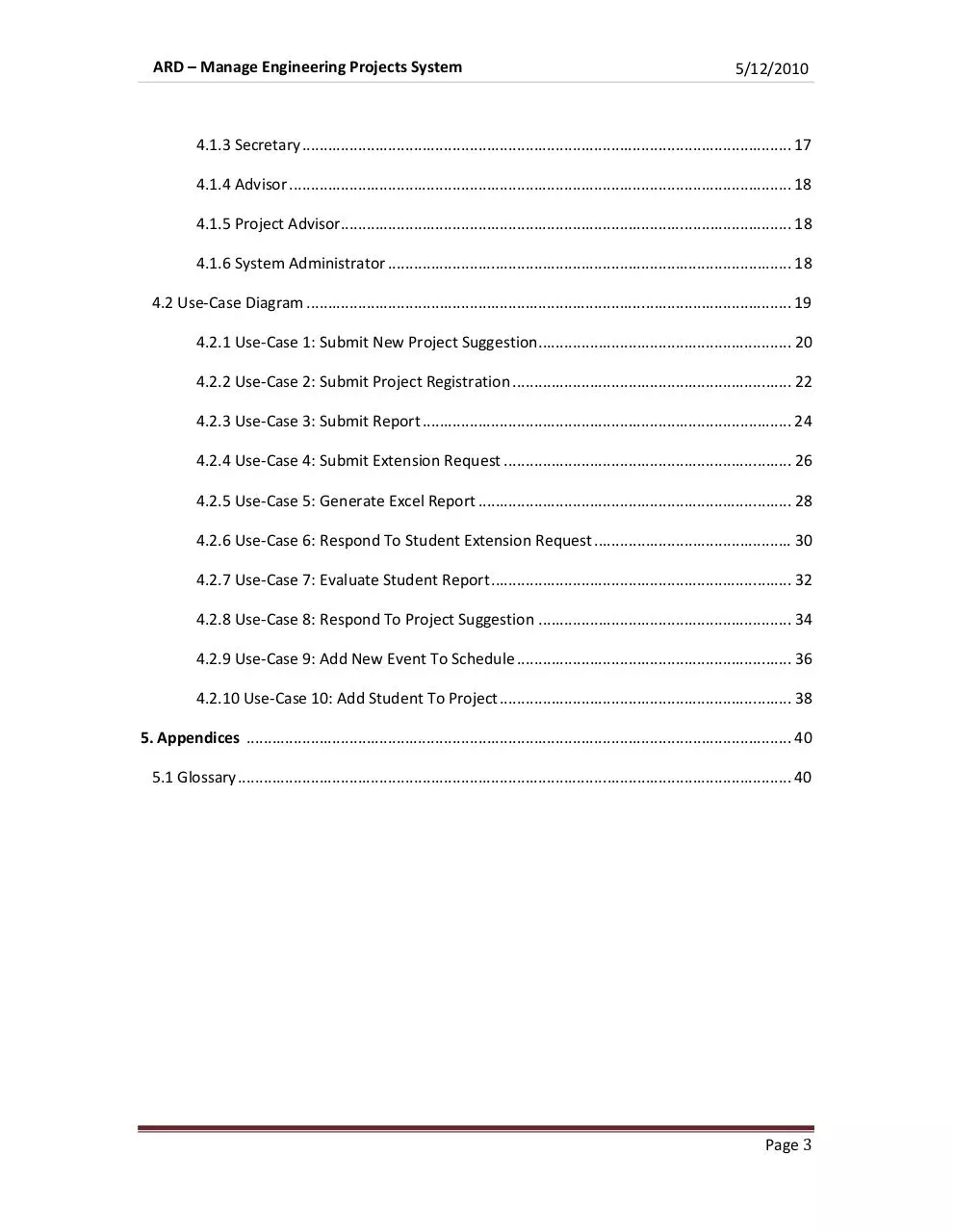
4. Usage Scenarios......................................................................................................................... 16
4.1 User Profiles – The Actors .................................................................................................... 16
4.1.1 Guest ........................................................................................................................ 16
4.1.2 Student .................................................................................................................... 16
Page 2
�
ARD – Manage Engineering Projects System
5/12/2010
4.1.3 Secretary .................................................................................................................. 17
4.1.4 Advisor ..................................................................................................................... 18
4.1.5 Project Advisor......................................................................................................... 18
4.1.6 System Administrator .............................................................................................. 18
4.2 Use-Case Diagram ................................................................................................................. 19
4.2.1 Use-Case 1: Submit New Project Suggestion ........................................................... 20
4.2.2 Use-Case 2: Submit Project Registration ................................................................. 22
4.2.3 Use-Case 3: Submit Report ...................................................................................... 24
4.2.4 Use-Case 4: Submit Extension Request ................................................................... 26
4.2.5 Use-Case 5: Generate Excel Report ......................................................................... 28
4.2.6 Use-Case 6: Respond To Student Extension Request .............................................. 30
4.2.7 Use-Case 7: Evaluate Student Report ...................................................................... 32
4.2.8 Use-Case 8: Respond To Project Suggestion ........................................................... 34
4.2.9 Use-Case 9: Add New Event To Schedule ................................................................ 36
4.2.10 Use-Case 10: Add Student To Project .................................................................... 38
5. Appendices ............................................................................................................................... 40
5.1 Glossary ................................................................................................................................. 40
Page 3
�
ARD – Manage Engineering Projects System
5/12/2010
1. Introduction
1.1. Vision
The main goal of our project is to implement a system that assembles and manage
the engineering project (for bachelor's degree only) for each engineering
department in “Ben-Gurion University of the Negev”.
The system provide interface for the relevant roles in the process:
Student, project advisor, department projects supervisor, secretary and guest.
1.2. The Problem Domain
The engineering project is complex process which involves integration between
several authorities: students, project advisor, department projects supervisor
secretary and guest (for external companies).
Currently the process is managed in each department differently, and in most of
them it is managed manually (not in a computerized system).
The goal of the project is to assemble the departments requirements and build
new system which manage the engineering project process form the initial step of
the project suggestion and till the evaluation of the project by the advisor.
Page 4
�
ARD – Manage Engineering Projects System
5/12/2010
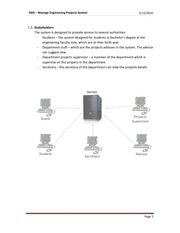
1.3. Stakeholders
The system is designed to provide service to several authorities:
- Students – the system designed for students in bachelor's degree at the
engineering faculty only, which are at their forth year.
- Department
epartment stuff – which are the projects advisors in the system. The advisor
can suggest new
- Department projects supervisor – a member of the department which is
supervise on the projects in the department.
- Secretary – the secretary of the department can view the project
projects details.
Page 5
�
ARD – Manage Engineering Projects System
5/12/2010
1.4. Software Context
The system will be composed from the following layers:
• SQL Server: responsible to store all the data in the system.
• Files Server: responsible to store all the files (documents, presentations,
pictures) in the system.
• Persistence: responsible to interact between the domain layer and the
servers (SQL, Files).
• Domain: responsible for the logic part in the system. This layer makes the
decisions in the system base on the data in the SQL server and the users
input.
• Presentation:: The user interface will be base on WEB browser,, the
displayed UI will be shown according to the user role.
Page 6
�
ARD – Manage Engineering Projects System
5/12/2010
1.5. System Interfaces
1.5.1. Hardware Interfaces
The application will be run as web service, thus it will run on a web
server. The interface to the hardware will be provided by the operating
system.
1.5.2. Software Interfaces
The domain layer will be run on the server so the communication with
the SQL and Files server will be via SQL API and Files server API.
The communication between the client UI and the server will be via HTTP
protocol.
1.5.3. Events
User Activity - The application receives events from the user interface.
Any event from the user leads to view or change details in the system
and the change is visible to every permitted user.
Time Base Activity – The system will have few processes that will be
executed every constant period (once a day), in example every student
that receive his final grade in the project will receive mail after 3 months
that his user is going to be deleted.
Page 7
�
ARD – Manage Engineering Projects System
5/12/2010
2. Functional Requirements
2.1. Role Guest : Functional Requirements
Func#
Requirement Name
1
Navigate the site
Requirement Description
The ability to go through the system site and its main
menus
2
Observe prev. projects
3
Observe current project list
The ability to watch a previous years projects information
The ability to watch a list of the projects which currently
being handled at the faculty
The ability to create and publish a new project proposal as
4
Submit a new project suggestion
an external project enterpriser (include anti spam)
The ability to go through picture galleries taken from
5
Observe prev. years picture galleries
previous years projects official presentations
The ability of being exposed to a screen which contains a
6
Observe general information
set of routines regarding the engineering project
The ability to search for project(s) by giving various search
7
Search for projects
parameters
The ability to be exposed to a rolled-down section of
8
Read Global Massages
broadcasted massages (shown on main page)
The ability to Authenticate log into the system and change
9
Login to system
a user role by giving a username & password
Page 8
�
ARD – Manage Engineering Projects System
5/12/2010
2.2. Role Student : Functional Requirements
Func#
Requirement Name
Requirement Description
Observe personal project
The ability to retrieve the students personal project
information
information and working status.
1
The ability to request participation in a project which is
2
Submit project registration request
found in the proposed projects list
The ability to submit a report regarding the status of the
3
Submit report
relevant project
The ability to update the abstract information describing
4
Update project abstract
the project brief
The ability to request a special approval to reject the
5
Submit extension request
official project submission date
The ability to submit a general request regarding the
6
Submit general request
relevant project
The ability to retrieve and read personal inbox massages
7
Read personal massages
(usually regarding the project status)
The ability to retrieve a report of the dates the current
8
View log
project was graded along the way
The ability to receive the list of check-point dates of in
9
View report dates
which the student has to submit a report
The ability to view a help section regarding the usage of
10
View Help
the system from the students point of view
11
Logout
The ability to log out of the system
Page 9
�
ARD – Manage Engineering Projects System
5/12/2010
2.3. Role Secretary : Functional Requirements
Func#
Requirement Name
1
Observe students grades
Requirement Description
The ability to view students grades, each step
in the project has separate grade.
The ability to view all the current active approved
2
Observe Students projects
Projects for this year.
The ability to generate Excel documents with
3
Generate Excel’s reports
Specific parameters.
4
Logout
The ability to log out of the system
2.4. Role Advisor : Functional Requirements
Func#
Requirement Name
1
Add new project suggestion
Requirement Description
The ability to add new project suggestion,
Which students can view and participate.
The ability to edit project suggestion details
2
Edit project suggestion
(Each parameter can update).
The ability to cancel active project suggestion,
3
Cancel project suggestion
(Will remove delete from the system).
The ability to approve students request
4
Approve students request
to specific project suggestion, and send it to
Projects Supervisor.
The ability to approve or disapprove a change
5
Approve student change abstract
in the student abstract description.
The ability to receive reports (several types – according
6
Receive students reports
To the department) from students.
7
Send request to correction report
The ability to send request to students, for
Page 10
�
ARD – Manage Engineering Projects System
5/12/2010
A correction report.
The ability to receive fixed report from a student
8
Receive correction report
After send him a request for a fix report.
9
Evaluate student report
10
Allow special report submission
The ability to evaluate student report.
The ability to allow a special submission
For a student (late submission, etc.)
The ability to accept extension requests from students
11
Accept extension requests
(like reports and other ingredients in the project).
The ability to view annual schedule for a specific
12
View annual schedule
Project (each project can has unique schedule).
The ability to read incoming messages from
13
Read inbox messages
Inbox.
14
Add sub-adviser
The ability to add another sun-adviser to the project.
15
Logout
The ability to log out of the system
Page 11
�
ARD – Manage Engineering Projects System
5/12/2010
2.5. Role Project Supervisor : Functional Requirements
Func#
Requirement Name
1
Respond to project suggestion
Requirement Description
The ability to confirm or reject a suggestion for an
engineering project
The ability to remove a project from the proposed
2
Undo a project approval
projects list (this actually deletes the whole project from
the list)
The ability to cancel an approval of an advisor to students
3
Undo an advisor approval
registration for a certain project
The ability to add a new event to the overall schedule of
4
Add a new event to schedule
this department project procedure
The ability to remove an event from the overall schedule
5
Remove an event from the schedule
of this departments project procedure
The ability to confirm or reject an extension request sent
6
Respond to an extension request
by a student
7
Add students to project
8
Send mail to group of students
The ability to add students to new or existing project
The ability to send mails to group of students according to
parameters
9
Statistics
The ability to view statistics by: projects, advisers, grades
10
Switch User
The ability to switch user to any user in the system
11
Upload a new photo album
The ability to add a photo album to the previous projects
photo albums section
The ability to add/remove a photo from an existing photo
12
Edit an existing photo album
album
The ability to add/remove a publication from the
13
Edit the publications section
publications section (shown on the main page)
The ability to add/remove an event from the events
14
Edit the Events section
section (shown on the main page)
Page 12
�
ARD – Manage Engineering Projects System
5/12/2010
15
Update user permission
The ability to update the permission of existing user
16
Logout
The ability to log out of the system
2.6. Role System Administrator : Functional Requirements
Func#
Requirement Name
Requirement Description
The ability to define or redefine a certain department
1
Set a departmental supervisor
member as a departmental projects supervisor of his/hers
department
The ability to import users details from BGU servers to the
2
Import users from BGU servers
system
3
Logout
The ability to log out of the system
Page 13
�
ARD – Manage Engineering Projects System
5/12/2010
3. Non Functional Requirements:
3.1. Performance constraints:
3.1.1. Speed
The system should perform fast to each one of the functional
requirements. It is designed to serve the user from browser interface
and there are no massive processing operations in the system, so each
operation should act as fast as ant data website.
3.1.2. Capacity
The system is intended to serve many users and contains a lot of data
for each project (documents, schedule tables, ext). The system DB is
going to be big, so the SQL schema should designed efficiently.
3.1.3. Availability
The system should serve the users at any time, which means the
system should be available 24/7.
3.1.4. Reliability
The system intended to run over web server, which means the access
to the server, is going to be over network communication that might be
malfunction. The system should be designed to ensure maximum
sustainability to external malfunctions.
3.1.5. Safety & Security
The users in the system will be only authorized users according to BGU
servers, and the authentication will be make according to the BGU user
and password. Each user can see only the data he is authorized to see
depending on his role.
3.1.6. Portability
The system will be accessed through web browsers, means that any
portable hardware that runs web browser will be able to access the
system.
Page 14
�
ARD – Manage Engineering Projects System
5/12/2010
3.1.7. Usability
The system is design to have intuitive & friendly interface that should
allow to any inexperienced user to complete his usage in 5-10 minutes,
without the need to reading and learning instructions. This relevant to
all users except the project supervisor since this user has more
functions and this user might read a manual first.
3.2. Platform Constraints
The system is going to run over server that has: web server, sql server and files
server. The clients must be connected to the internet in order to user the
system, and should have internet browser.
3.3. SE Project Constraints
The system is interactive to the user inputs, which means the demo will be based
on the following users inputs: student, advisor and project supervisor.
The system requires access only by permitted users according to BGU servers, so
the demo and the tests should be done with actual BGU users.
The tests will be done according to the use cases that describe in the following
section, and the project presentation might be done in any location that has 3
computers with internet connection.
Since the system is based on web server, a web server should be supplied during
the development phase.
3.4. Special Restrictions & Limitations
The system is supports only users that registered in the BGU servers and has a
valid user name and password. In addition, student will be able to use the
system only if they are at their forth year.
Page 15
�
ARD – Manage Engineering Projects System
5/12/2010
4. Usage Scenarios
4.1. User Profiles – The Actors
In this section we’ll define the external actors. The actors are, actually, the types
of accounts (aka roles) the system offer to use. Each account type is able to be
attached to arbitrary number of concrete accounts (actual living system users)
4.1.1.
Guest
The Guest user is the default role the system offer to use and the
type of role being operated immediately when an HTTP connection
is being established between the server and an Internet browser
client.
The Guest’s major functionalities are:
- Navigate the system and go all over its menus and sub-menus.
- Observing global information such as Photos and broadcasted
massages.
- Use the search engine to locate past or present projects and view
some global details about them.
- Submitting a ne project suggestion (as an external project initiator)
- Login to the system as another user
4.1.2.
Student
The Student user represents a regular Ben-Gurion student whichhas
(by demands) reached his 4th year of his engineering degree and
achieved the minimum amount of academic credit points to begin his
final project.
The Student’s major functionalities are:
- Requesting to register (optionally as a group along with some
Page 16
�
ARD – Manage Engineering Projects System
5/12/2010
other students) to some suggested project.
- Submitting files and reports regarding his project.
- Reading personal messages.
- Updating project abstract
- Viewing his group’s grades and reports feedbacks/logs
- Submitting project requests (i.e. delay request)
4.1.3.
Secretary
The role that represents a faculty secretary. Secretary is the only
system role that has the permissions to view allstudents grades
from the current department.
The Secretary’s major functionalities are:
- Observing students projects and grades.
- Generating reports (Excel) by giving some parameters.
4.1.4.
Advisor
The Advisor role represents a lecturer that can take charge of
projects. By being in charge of a students group project means,
inter alia, receiving reports and updates regarding the current
project and grading it accordingly.
The Advisor’s major functionalities are:
- Add project suggestions and approve/reject students registration
requests about it
- Receive reports and students requests and reply about them
Page 17
�
ARD – Manage Engineering Projects System
5/12/2010
-Appoint a sub-advisor for the current project.
4.1.5.
Project Supervisor
The Project Supervisor role represents a person in charge by the
department to oversee all the departmental regular advisor. In
general a person which serves as a project supervisor can be an
advisor for some projects.
The Project Supervisor’s major functionalities are:
- Undo some Advisors or project approval. Remove a student from a
certain project or add one.
- Edit projects schedule
- Update system permissions
- View some projects statistics
- Switch his role, temporarily, to another user just to observe his
work desk
- Edit the global information section of the system
4.1.6.
System Administrator
The System Administrator role represents a root user. Although
most of the administrative functionalities are related to the Project
Supervisor role, this role is needed to get things started
The System Administrator’s major functionalities are:
- Set a regular department member as a Project Supervisor.
- Import BGU users details from the Main university database into
the system
Page 18
�
ARD – Manage Engineering Projects System
4.2.
5/12/2010
Use-Cases Diagram:
Page 19
�
ARD – Manage Engineering Projects System
4.2.1.
5/12/2010
Use Case 1: Submit New Project Suggestion
Primary Actor: Guest, Advisor
Stockholders and Interests:
Guest: Wants to (as an external project initiator) post a new project
suggestion for groups of students to view and register.
Advisor: Wants to post a new project suggestion with him as this
projects advisor
Pre-Conditions:
The user is inside the system (if it’s an advisor then he is logged in)
Post-Conditions:
A new Project suggestion was successfully added to the system
Main Success Scenario:
1. Guest/Advisor inserts a new project suggestion parameters
(project description, number of students, …)
2. System checks if this user is an Advisor, and if so fills the advisor
field with the information of this advisor
3. System saves this new suggestion in the database
Page 20
�
ARD – Manage Engineering Projects System
5/12/2010
Sequence Diagram: Submit New Project Suggestion
Page 21
�
ARD – Manage Engineering Projects System
5/12/2010
4.2.2. Use Case 2: Submit Project Registration
Primary Actor: Student
Stakeholders and Interests: Student wants to submit a request for
project registration.
Preconditions: A project suggestion was added to the system by the
departmental supervisor.
Post Conditions: New project’s registration request was added to the
system.
Main Success Scenario:
1. Student selects a project suggestion.
2. Add his partner’s Ids
3. Approve the submission.
Extensions (Alternatives):
1. Partners for the project should be available (Haven’t approved
to another project by the supervisor).
Page 22
�
ARD – Manage Engineering Projects System
5/12/2010
Sequence Diagram: Submit Project Registration
Page 23
�
ARD – Manage Engineering Projects System
5/12/2010
4.2.3. Use Case 3: Submit Report
Primary Actor: Student.
Stakeholders and Interests: Student submits a report to the system.
Preconditions: Report event existed in the system.
Post Conditions: Student report was added to the system.
Main Success Scenario:
1. Student selects a report type.
2. choose file to upload
3. Approve the submission.
Extensions (Alternatives):
1. File should not be too large.
Page 24
�
ARD – Manage Engineering Projects System
5/12/2010
Sequence Diagram: Submit Report
Page 25
�
ARD – Manage Engineering Projects System
5/12/2010
4.2.4. Use Case 4:Submit Extension Request
Primary Actor: Student
Stakeholders and Interests: Student submits an extension request for
a concrete report to the system.
Preconditions: Report event existed in the system.
Post Conditions: Student extension request was added to the system.
Main Success Scenario:
1. Student selects a report type
2. Submit an extension request
Page 26
�
ARD – Manage Engineering Projects System
5/12/2010
Sequence Diagram: Submit Extension Request
Page 27
�
ARD – Manage Engineering Projects System
5/12/2010
4.2.5. Use Case 5: Generate Excel Report
Primary Actor: Secretary
Stackholders and Interests:
Secretary: Wants to export data that comes out of a query to an Excel
report.
Pre-Conditions:
The Secretary is logged in to the system.
The report parameters are valid.
Post-Conditions:
A new Excel report is being generated
Main Success Scenario:
1. Secretary choose the desired type of report to genertate
2. Secretary inserts the relevant parameters for the chosen report
3. The System runs a query & generates the report as an Excel file
Extensions (Alternatives):
2.a. Secretary enters some invalid parameter (i.e. year = ‘abc’)
2.a.1. display error message to screen
2.a.2. goto step 2
Page 28
�
ARD – Manage Engineering Projects System
5/12/2010
Sequence Diagram: Generate Excel Report
Page 29
�
ARD – Manage Engineering Projects System
5/12/2010
4.2.6. Use Case 6: Respond To Student Extension Request
Primary Actor: Advisor
Stockholders and Interests: Advisor wants to reply to a group of
students extension request (approve it or reject it).
Pre-Conditions:
The Advisor is logged in to the system
The extension request, req, is valid
Post-Conditions:
The extension request, req, is rejected or approved on system (if
approved then the relevant project schedule is updated)
Main Success Scenario:
1. Advisor draws the request’s project information from the system
2. Advisor response to the request:
2.1. If approved
2.1.1 project schedule updated
2.1.2 approve message is sent to group of students
2.2. if rejected
2.2.1 rejection message is sent to group of students
Page 30
�
ARD – Manage Engineering Projects System
5/12/2010
Sequence Diagram: Respond To Student Extension Request
Page 31
�
ARD – Manage Engineering Projects System
5/12/2010
4.2.7. Use-case 7: Evaluate Student Report
Primary Actor: Advisor
Stockholders and Interests:Advisor wants to grade the report or return
report correction request.
Pre-Conditions:
A report has been submitted to the advisor.
Post-Conditions:
The report was evaluated and graded or asked to be fixed.
Main Success Scenario:
1. Advisor downloads the request’s project information from the system.
2. Advisor response to the request:
2.1. No need to correct the report
2.1.1 Evaluate the report and grade it
2.1.2 Send email to the project students
2.2. If a correction is needed
2.2.1. Send the report with the advisor remarks
2.2.2. Send email correction requestto each student in the project
Page 32
�
ARD – Manage Engineering Projects System
5/12/2010
Sequence Diagram: Evaluate Student Report
Page 33
�
ARD – Manage Engineering Projects System
5/12/2010
4.2.8. Use-Case 8: Respond To Project Suggestion
Primary Actors: Project Supervisor
Stockholders and Interests: The user that suggested the project is
interest in the project supervisor respond. Any guest or Advisor might
suggest new project, the suggestion waits for project supervisor
approve / denied.
Precondition: A new project suggestion has been added to the system
and waiting for project supervisor respond.
Post condition: If the supervisor approves the suggestion, a new
project suggestion will be added to the database. The supervisor
respond will be sent to the suggestion email.
Main Success Scenario:
1. The supervisor approved the suggestion.
2. The new project added to the database.
3. E-mail will be sent to the user that suggested the project.
Page 34
�
ARD – Manage Engineering Projects System
5/12/2010
Sequence Diagram: Respond To Project Suggestion
Page 35
�
ARD – Manage Engineering Projects System
5/12/2010
4.2.9. Use-Case 9:Add New Event to Schedule
Primary Actors: Project Supervisor
Stockholders and Interests: Each existing project will be update
according to the new event date.
Precondition: The project supervisor is log in to the system.
Post condition: After the addition, each project in the system will be
update: if the event is already exist, the system will check if the new
date if larger than the existing date and set the larger.
Main Success Scenario:
1. The supervisor add new event.
2. Each event date will be update to the new date except is the existing
date is larger than the new date.
3. An updated UI is view to the project supervisor.
Page 36
�
ARD – Manage Engineering Projects System
5/12/2010
Sequence Diagram: Add New Event to Schedule
Page 37
�
ARD – Manage Engineering Projects System
5/12/2010
4.2.10. Use-Case 10: Add Student to Project
Primary Actors: Project Supervisor
Stockholders and Interests: The added students that will be update to
the project, the rest of the students in the project.
Precondition: The project defined in the system as a suggested project.
Post condition: After the addition, the student attributed to the system
and the system delete the student from each other project that the
student suggested himself.
Main Success Scenario:
1. The supervisor add new student to a project.
2. The student attribute to the project.
3. The student deleted from each other project that the student
suggested himself.
Page 38
�
ARD – Manage Engineering Projects System
5/12/2010
Sequence Diagram: Add Student to Project
Page 39
�
ARD – Manage Engineering Projects System
5/12/2010
5. Appendices
5.1. Appendix 1: Glossary:
5.1.1. “System” – Refers to the web based project managing system of the
engineering faculty of Ben-Gurion university
5.1.2. “Role” – Refers to one of the five system roles which are: Guest,
Student, Secretary, Advisor, Project Supervisor
5.1.3. “User” – Refers to a concrete user of the system. The user can be of any
role from the roles described above.
5.1.4. “Server” – Refers to the system’s main server which is physically located
inside the university
Page 40
�
 Historical archive . public document