YLOD
MOTHER BOARD REPAIR GUIDE
Disclaimer: please be advised if your ps3 is still in
warranty on then send it back do not attempt this repair.
The following repair is for faulty mother boards only and
will not repair power supply issues or disc read errors.
In following this guide I do not guarantee you will fix
your ps3 and by attempting this repair YOU take full
responsibility for any loss of hardware due to damage
caused by following this guide!!!!!!!!!!!
Ok so if you’re reading this then you have experienced one of
the worst things that can happen to your ps3!!!!!!!!
So follow these steps and let’s get you back up and running!!!
Tools needed
Heat gun (temperature controlled preferably).
Isopropyl alcohol (acquire from chemist).
Vacuum cleaner or compressed air blower.
Phillips screw driver.
Flat blade screw driver or slotted torx bit.
Let’s begin!
1. Remove warranty sticker and rubber foot that’s
positioned above hard drive bay.
This will invalidate any warranty.
2. Using a small flat blade screw driver or slotted torx bit,
unscrew cover plate screw. See below.
�
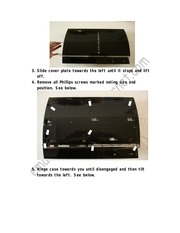
3. Slide cover plate towards the left until it stops and lift
off.
4. Remove all Phillips screws marked noting size and
position. See below.
5. Hinge case towards you until disengaged and then tilt
towards the left. See below.
�
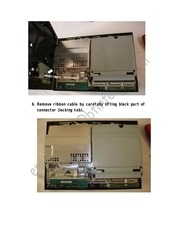
6. Remove ribbon cable by carefully lifting black part of
connector (locking tab).
�
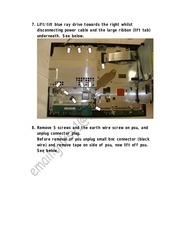
7. Lift/tilt blue ray drive towards the right whilst
disconnecting power cable and the large ribbon (lift tab)
underneath. See below.
8. Remove 5 screws and the earth wire screw on psu, and
unplug connector plug.
Before removal of psu unplug small bnc connector (black
wire) and remove tape on side of psu, now lift off psu.
See below.
�
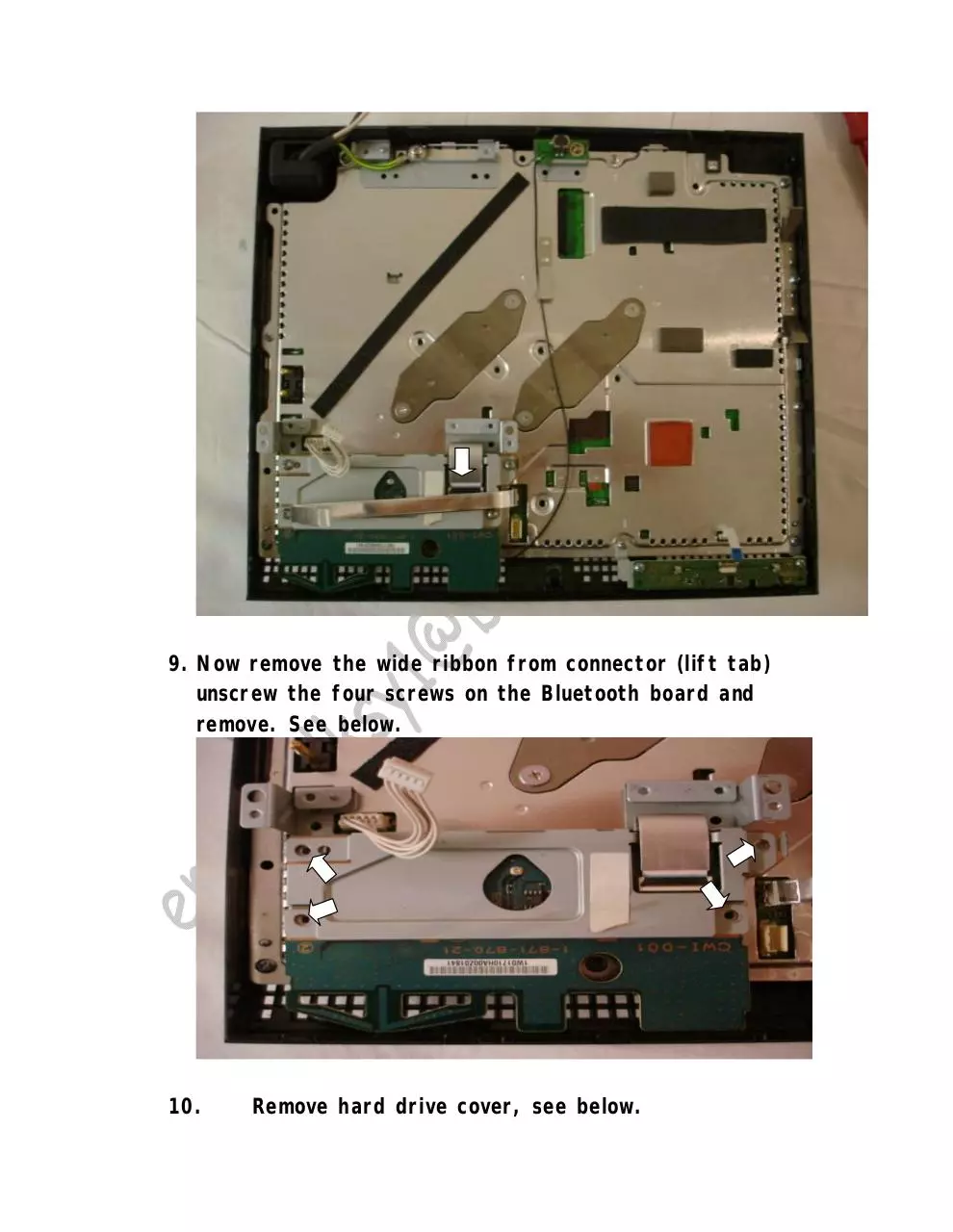
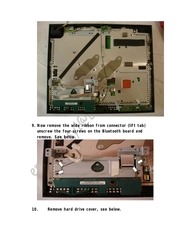
9. Now remove the wide ribbon from connector (lift tab)
unscrew the four screws on the Bluetooth board and
remove. See below.
10.
Remove hard drive cover, see below.
�
11.
Unscrew blue hard drive screw and disengage hard
drive by sliding towards gap in the bay. See below.
12.
Remove hard drive, see below.
�
13.
Unscrew 4 screws holding the bracket, on/off and
eject control panel.
Remove small ribbon (lift tab) and remove control panel.
14.
Unscrew 8 screws, see below.
15.
Lift enclosure out of plastic base, see below.
�
16.
Now unclip black rear panel and remove.
17.
Unscrew 4 screws and remove sprung brackets, see
below.
�
18.
Lift of metal cover plate whilst allowing ribbons to
pass through gaps in plate without damage, see below.
(Taking note where heat sink rubbers are positioned).
19.
Supporting fan assembly turn board over, remove
fan power connector and fan, see below.
�
20.
Remove 2 screws holding plate to hard drive
connector and unplug battery connector. See above.
Now remove plate. See below.
�
21.
Clean off old heat sink compound from the 2 main
processors using Isopropyl alcohol making sure all traces
of the old heat sink compound has gone.
22.
Clean both touch plates on bottom of fan/heat sink
assembly with Isopropyl alcohol until all traces of the old
heat sink compound has gone.
23.
Now using a vacuum cleaner or compressed air
blower get rid of all dust build up in the case and on all
component parts of the ps3 (pay special attention to the
fan assembly and heat sink fins(MUST BE CLEAR OF
DUST).
24.
Typical example of dust build up. See below.
Ps3 case (dusty).
�
Heat sink plates before
heat sink compound removed (dusty).
25.
Once cleaned you should now have a nice pile of
bits that looks something like this, see below.
Now for the tricky bit!
�
26.
Check the top metal cover plate (underside) for
burn-in marks, as you can see below this ps3 got very
hot before it yloded!
27.
Place the ps3 mother board on a flat heat resistive
surface (kitchen work top or melamine shelf will be fine).
28.
Turn heat gun on and set temperature to 350 deg
and the fan speed to low (to high and it will move the
surface mount bits).
Allow gun to get up to temperature before
continuing!!!!
29.
Using a circular motion hold heat gun over areas
outlined below (keep heat gun an inch above
board/components at all times).
30.
CPU side first.
�
31.
After 15 to 20 seconds move onto the next area.
32.
Once all marked areas have been heated/reflowed
on the mother board LEAVE for at least 10 to 15
minutes to cool.
(DO NOT MOVE MOTHER BOARD WHILE COOLING).
33.
A popping noise may be heard during cooling, don’t
worry this is normal.
34.
NON CPU side.
35.
After 10 to 15 seconds move onto the next area.
36.
Once all marked areas have been heated/reflowed
on the mother board LEAVE for at least 10 to 15
minutes to cool.
(DO NOT MOVE MOTHER BOARD WHILE COOLING).
37.
A popping noise may be heard during cooling don’t
worry this is normal.
�
Heat sink compound still on in this picture, remove
before reflowing.
�
Heat sink rubber pads still on in this picture remove
before reflowing also hold ribbons out of way while reflowing;
………………………………………………………………………………………………………………………
………………………………………………………………………………………………………………………
…………………………………………………………..Congratulations!!
You have just repaired you’re yloded ps3
mother board.
38.
Now its time to apply new heat sink compound to
the 2 processors, when doing this its always best to
follow the manufacturers instructions but I believe the
process is the same with all types (please check
instructions that come with paste), before continuing
39.
The paste I am using is called AKASA 450 it’s a
silver based compound with a thermal conductivity of
9.24w/m deg c and an operating range of 0 to 200 deg
c.
You can buy it from most pc shops but I get mine from
my local Maplin ( I have been told that there is a better
compound on the market called arctic silver but I haven’t
tried it as yet so the choice is yours).
40.
Use syringe supplied and dispense a small worm of
compound from top to bottom on the left hand side of
processor chip, now using credit card supplied spread
compound evenly and thinly over processor face (to much
is bad and not enough is also bad) the ideal amount is
when you can almost see through the paste.
41.
Now repeat on the other processor.
�
42.
See below.
NOW IT IS TIME TO REASEMBLE THE PS3.
RETRACE YOUR STEP IN REVERSE TO REBUILD
MAKING SURE ALL RIBBON CABLES HAVE BEEN
FULLY INSTERTED INTO CONNECTORS AND LOCKED
DOWN IE. (TABS).
If you would like to ask any questions
Email me at gilksy1@btinternet.com
Or when you’ve fixed your ps3
Add me psn= gilksy
It would be nice to keep track of all repaired
ps3’s using this guide.
Thank you for your time!!!!!!!!!!!!!!
�
I’D JUST LIKE TO SAY THANKYOU TO
BOOMONT AND ACE_J66 FOR ALLOWING
ME TO DOCUMENT THE REPAIR OF THEIR
PS3’S (MY NEW PSN FRIENDS).
�
 Historical archive . public document