PDF ArchiveHistorical archive . public document

Obtaining the UDID on an iOS Device for

Obtaining the UDID on an iOS Device for.pdf . by Michael Robinson

PDF 1.5 2 pages 245.77 KB Filed 27/01/2016
Download this PDF
Obtaining the UDID on an iOS Device for.pdf
Web reader . 2 pages
Page 2 of 2, Obtaining the UDID on an iOS Device for
2 / 2

File preview

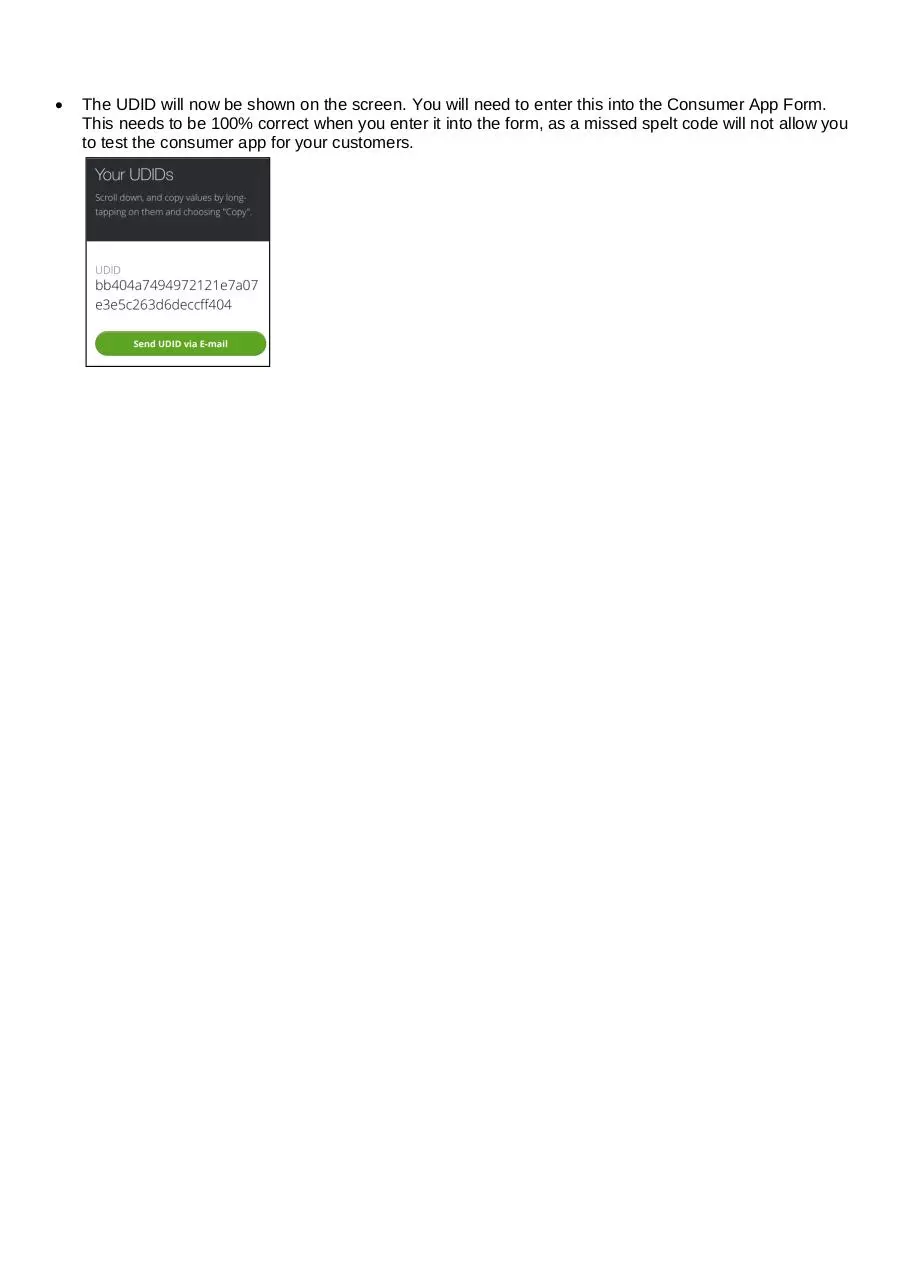
Obtaining the UDID on an iOS Device for the Consumer App in iCabbi. As part of testing the app on an Apple iOS Device we will require a UDID Number from an iOS Device that you will need to test the consumer app on. You can get this from opening the Safari Internet Browser on the iOS device. You will need to go to the web address get.udid.io.  When you get to the get.udid.io website you will need to press on the Tap to find UDID button highlighted in green.  Now you will be taken the Install Profile Section, you will need to press Install in the top right hand corner.  You may be prompted to enter in the Passkey for their device, enter the passcode.  An install button will show on the bottom of the screen, please press install.  The UDID will now be shown on the screen. You will need to enter this into the Consumer App Form. This needs to be 100% correct when you enter it into the form, as a missed spelt code will not allow you to test the consumer app for your customers.

Download Obtaining the UDID on an iOS Device for

Obtaining the UDID on an iOS Device for.pdf . PDF . 245.77 KB . 2 pages

Download PDF

File information

File name
Obtaining the UDID on an iOS Device for.pdf
Author
Michael Robinson
Size
245.77 KB
Pages
2 pages
PDF version
1.5
Produced with
Microsoft® Word 2010
Filed on
27/01/2016
Page views
421
Document ID
obtaining-the-udid-on-an-ios-device-for
MD5
d2c4494a67aed1846666dfe0225e0b6c
SHA-512
343462ab71132c3e0b94bfda006461cb80705a387b1bd2572c28bfb69db03906716a9dfd6b194cc626d18715d00c407a57ab38ce4b99fd8b3d2bb496b43605f5

Share this document

This address never changes. It is the one to keep, to send, or to cite.

Shorter, for a text message or a post with a character limit.

To link to this document from a website or a blog.