SOHO Edition v2.0
.
Satria Digital Signage (SDS) is more than cool — it’s
smart. The research shows companies around the
world are realizing that digital signage can be
interactive and dynamically changed to meet the demo
graphics of their audience, not only because it adds a
high-tech edge to a venue, but because it addresses
the specific business needs of increasing revenue
This is a complete stand alone all-in-one digital
signage solution on the market. These fully solid state
and highly reliable products were primarily designed
and ideal for corporate office, shopping mall,
restaurant, salon, hotel lobbies, clinic…
SDS SOHO v2.0 offering Digital Signage solutions in
today's modern and contemporary applications.
MAIN FEATURES
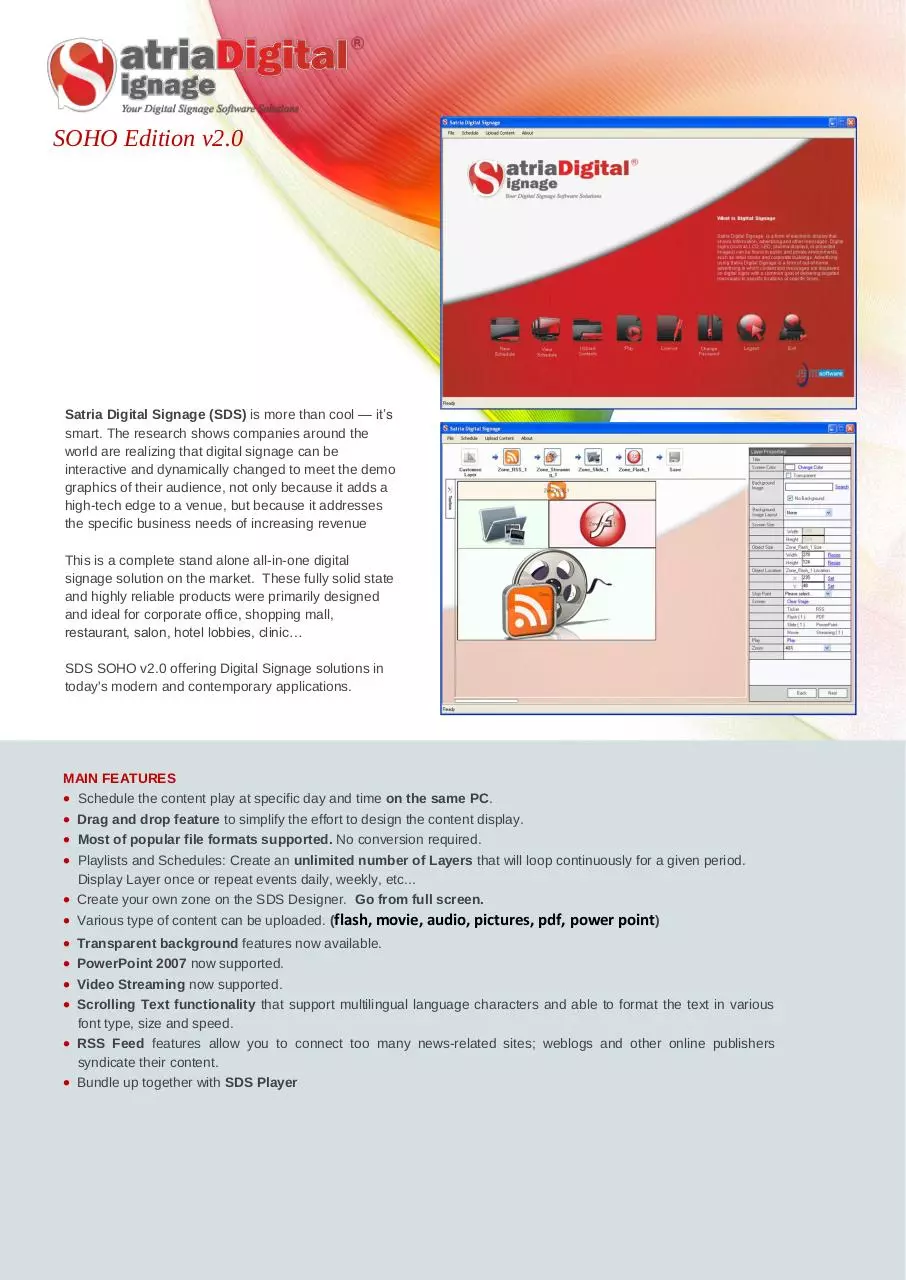
Schedule the content play at specific day and time on the same PC.
Drag and drop feature to simplify the effort to design the content display.
Most of popular file formats supported. No conversion required.
Playlists and Schedules: Create an unlimited number of Layers that will loop continuously for a given period.
Display Layer once or repeat events daily, weekly, etc...
Create your own zone on the SDS Designer. Go from full screen.
Various type of content can be uploaded. (flash, movie, audio, pictures, pdf, power point)
Transparent background features now available.
PowerPoint 2007 now supported.
Video Streaming now supported.
Scrolling Text functionality that support multilingual language characters and able to format the text in various
font type, size and speed.
RSS Feed features allow you to connect too many news-related sites; weblogs and other online publishers
syndicate their content.
Bundle up together with SDS Player
�
COMMUNICATION SCHEMATIC
SDS SOHO is a single PC solution. Both the SDS Tool and SDS Player modules reside on the same PC so you
can upload content, create and manage layer, schedule and playback all on a single computer. You can display
your content on one or more screens (video splitter required).
Management
Playback
.
.
Workstation
SDS Tool & Player
.
Plasma / LCD / LED
(for multiple screens, video splitter
required)
.
APPLICATIONS
Public information – news, weather and local
(location specific) information, such as fire exits
and traveler information
Internal information - corporate messages,
health & safety, news, etc.
Advertising – either related to the location the
signage is in or just using the audience reach of
the screens for general advertising
Brand building – in-store digital signage to
promote the brand and build a brand identity
Influencing customer behavior – directing
customers to different areas, increasing the dwell
time on the store premises
Enhancing the environment – with interactive
screens (in the floor for example) or with
dynamic way finding
Enhancing customer experience –
applications include the reduction of perceived
wait time in restaurant waiting areas, bank
queues, etc., as well as recipe demonstrations in
food stores
MINIMUM SYSTEM REQUIREMENT
Microsoft Windows 7, Vista, Windows XP Pro Service Pack 3 (32 bit)
Intel Pentium Core Duo Processor or above
2GB RAM with 500MB free hard disk space
DirectX compatible, accelerated video card
DirectSound compatible audio card
MSSQL 2005 Express Edition or latest
Microsoft .Net Framework 2.0 or latest
Windows Media Player v9 or latest
Adobe Flash Player 10 or latest
JAYA SATRIA MEDIAKOM SDN BHD (484553 v)
L-5-5, Solaris Mont’ Kiara, 2, Jalan Solaris, Mont’ Kiara,
50480 Kuala Lumpur, Malaysia
Tel 603.6203.6683
Fax 603.6203.7209
digital.signage@jayasatria.com
�
 Historical archive . public document