The archive of
your business.
Quotes, invoices, client contracts: filed, dated, shareable. On servers in France, kept for as long as you need them.
- business.filingby client, by year
- business.sendinga protected link
- business.tracefrozen · dated
- business.hostingFrance 100%
The day a document is missing
“Send me the 2023 invoice again.”
A client asks two years later. You find it with the date it was filed, and you pass it on through a link instead of digging through your sent mail.
“Your link no longer works.”
Transfer services erase after a few days. Here the link stays valid, and you are the one who decides when it stops.
“It was on the old laptop.”
Your business archive ends up split between a computer, a drive and two clouds. Here it sits in one place, filed and searchable.
Quote, invoice, contract, in one place
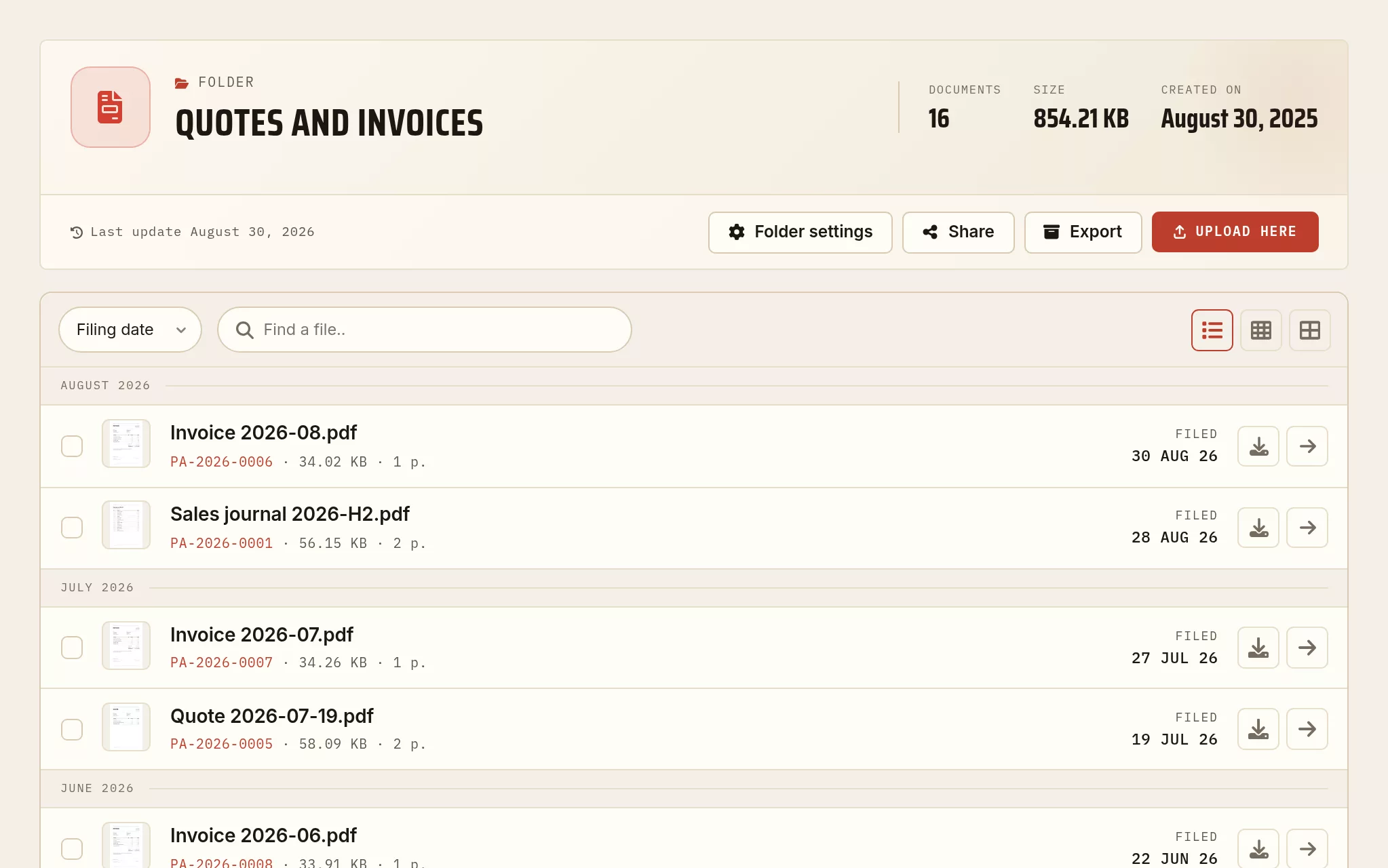
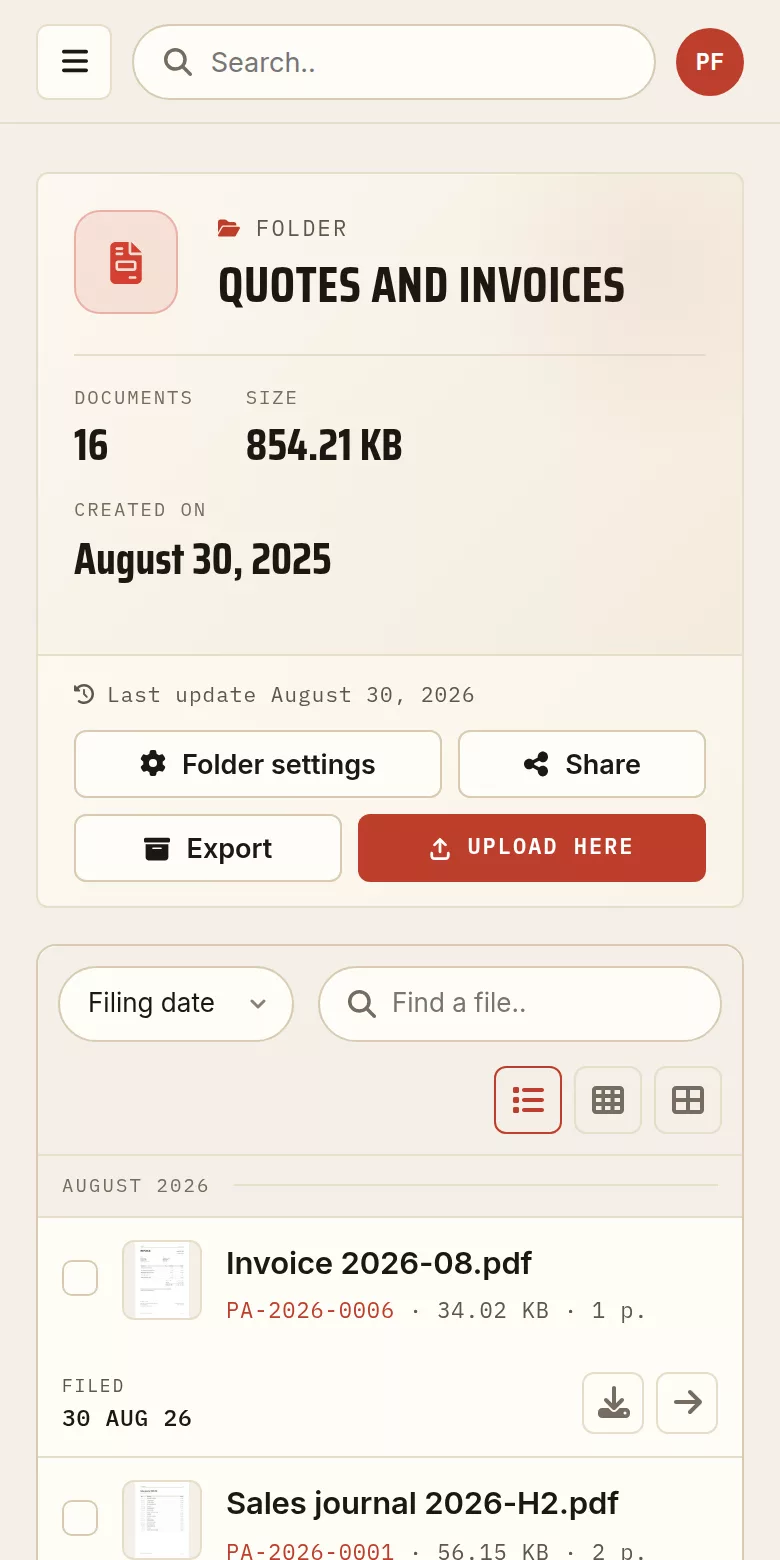
A folder from the demonstration archive, captured exactly as it stands in the account area. The documents are made up for the example; the screen is the real one.
Your business documents, under control
Filed by client
Quotes, invoices and contracts filed by client and by year. Found again in seconds.
Sent through a dedicated link
Pass a quote or an invoice on through a protected link, simpler than an attachment.
Receiving documents
Collect your clients’ documents (a purchase order, a receipt) through a single link.
Dated copies
Every public share is a frozen, dated copy: a dated trace of what you passed on, which you can revoke or let expire.
The PDF toolbox
Merge a quote with your terms, compress for email, convert, without leaving your archive.
Data in France
Hosted in France, GDPR compliant. Your business documents, safe and lasting.
Forward it, and it is filed
Not every client will open a link, and a supplier invoice almost never arrives as one. An address per folder takes the attachment out of your mailbox and puts it where it belongs.
One address per folder
Generate an address for the folder you choose. What is sent to it is archived in that folder, and nowhere else.
Nobody changes their habits
The client attaches the document to an email, as always. You forward what reaches you. No link, no account at the other end.
The mailbox stops being the archive
A document filed the day it arrives is a document you will not be looking for in a thread in eighteen months.
Three steps
Create your account
Free, in a minute.
File by client
One folder per client, your documents dated.
Send through a link
Quotes and invoices through a protected link, with the date they went out kept.
What people ask us
Do my clients have to create an account to receive a quote?
No. You send them a link, which they open in their browser to read and download the document. Nothing to install, nothing to create on their side. You can protect that link with a password, give it an expiry date, or close it later.
Restaurant, hotel, franchise: does this apply to those trades?
Yes. The documents are the same ones: quotes, invoices, contracts, supplier receipts. What changes is the name on the folder.
What happens to my documents if I stop paying?
Nothing is deleted because a paid tier ends. The account returns to the free allowance: your documents stay, what stops is adding more, until you free up room or move up again.
Can I get my documents back out?
Yes, at any time, folder by folder or as a whole, from your account. It is worth doing before deleting the account, since that deletion is immediate and irreversible.
To go further
How long should you keep invoices and contracts?
Legal retention periods in five countries, each with its official source, and a filing method that survives all of them.
Read the article → LegalThe evidential value of a dated PDF
Timestamping, integrity, admissibility: what a dated upload really proves, and where it stops.
Read the article → SovereigntyGDPR: where are your documents, really?
Hosting, transfers outside the EU, processors: the questions to put to your cloud.
Read the article →Every guide is in the journal of the archive.
Getting a quote ready to send
Merge the quote with your terms of business, bring the file down to a size that goes through by email, then freeze it in the archiving format for your own records.
Merge PDF files
Bring up to 20 files together into one document, in the order you choose.
Open the tool →Compress a PDF
Reduce the weight of a file, at the quality level you pick.
Open the tool →Convert to PDF/A
The standardized format (ISO 19005) for keeping a document readable for years.
Open the tool →