The archive of
your council.
Resolutions, minutes, budgets and newsletters, kept at their date, published through links you open and close yourself. On servers in France.
- council.sittingseach with its folder
- council.publishingpublic links
- council.ownershipthe council itself
- council.hostingFrance 100%
The archive leaves with whoever was keeping it
“Where is the 2021 resolution?”
Between the office server, a USB stick and a councillor’s mailbox, a resolution takes half a day to find. Here it sits at its date, in its folder.
“The newsletter link no longer works.”
A document put on the council website disappears at the next redesign. A public link from PDF Archive does not depend on that site: it lives with the document.
“That was the previous team.”
At every election the archive left with whoever was keeping it. It now belongs to the council, and handing it over takes no action at all.
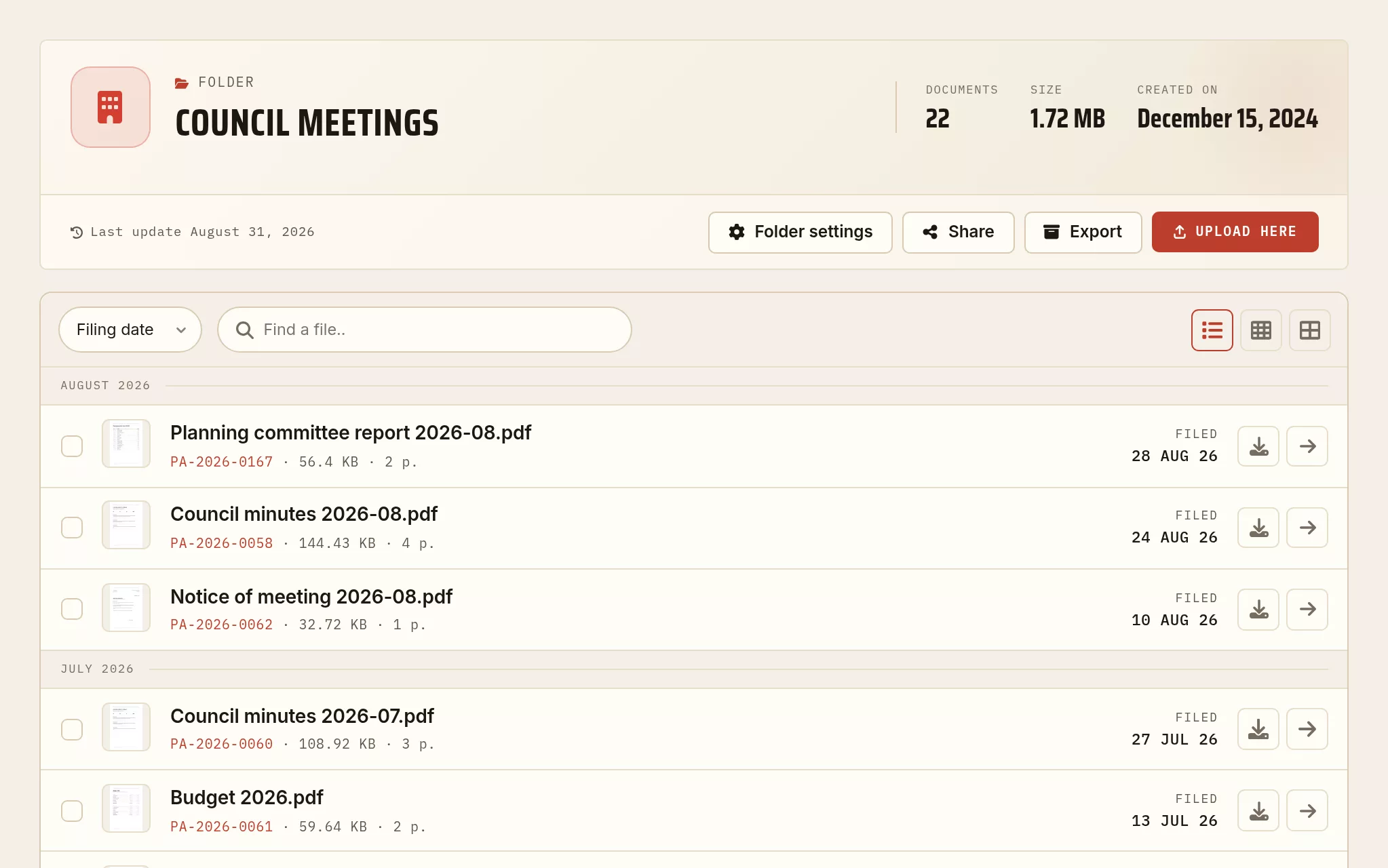
A term of sittings, filed
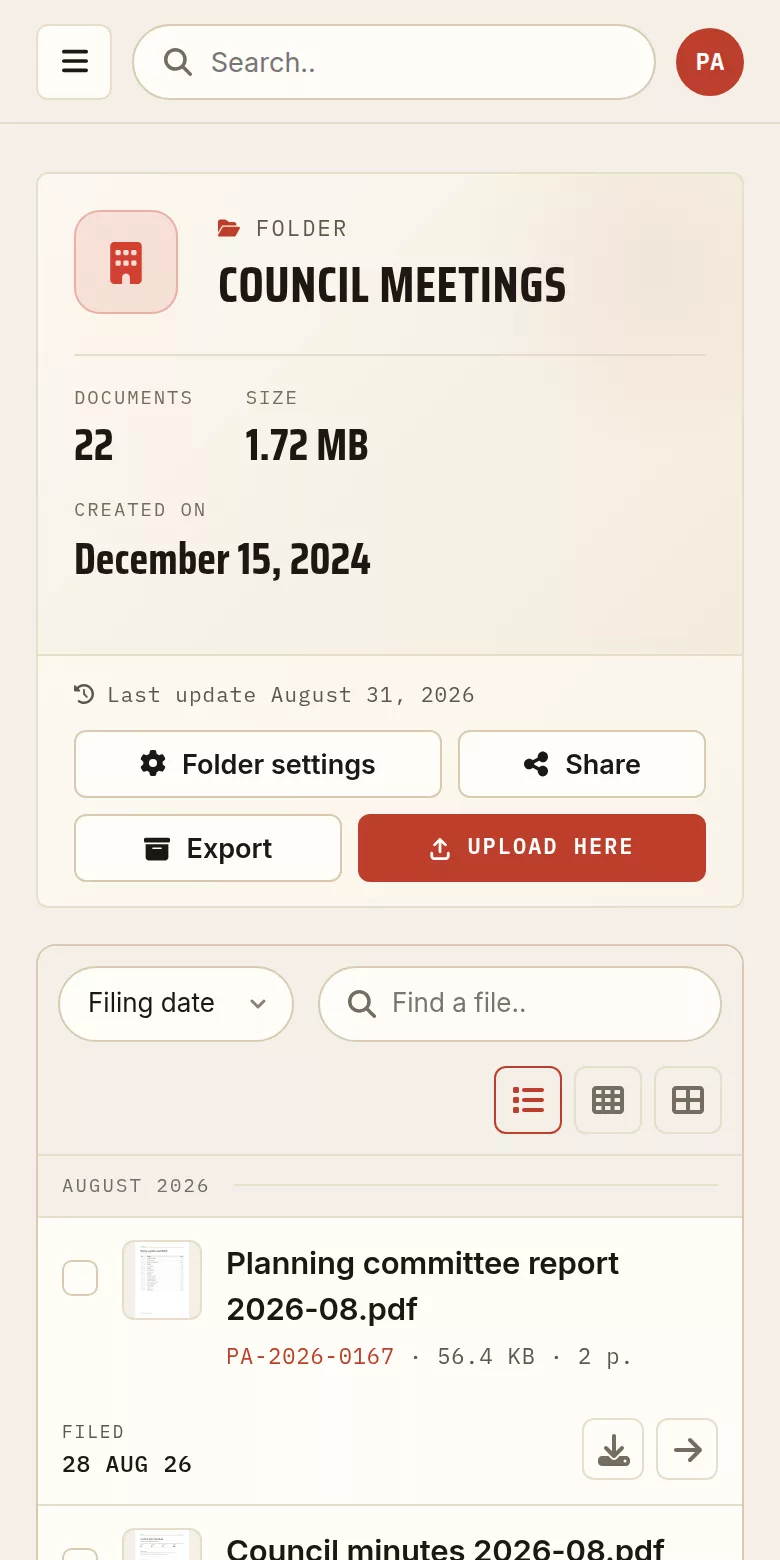
A folder from the demonstration archive, captured exactly as it stands in the account area. The documents are made up for the example; the screen is the real one.
The record outlives the term
Resolutions and minutes
Every sitting files its resolutions and its minutes, dated, in their place. The next term finds them again.
Published through a dated link
One public link per document, with its upload date. You close it when you want, without touching the council website.
The newsletter online
The newsletter stays readable issue after issue, without taking up room on the site and without a dead link two years later.
Receiving documents
Departments, associations and contractors upload their documents through a single link, without holding an account.
Independent of the people
The archive belongs to the council itself. It survives departures and elections.
Hosted in France
Servers in France, GDPR compliant: the council documents and the data of its residents do not leave the EU.
Keeping what was published online
A notice, a resolution, a page of the council website: what was online on a given day does not stay online. Capture turns the page into a dated PDF and files it with the rest.
An address in, a document out
You give the address of the page. What comes back is a PDF, filed and dated like any other document.
Repeated without being asked
Set the capture once and it runs again on its own: you keep the state of a page over time, not only the state it is in today.
A record, not a screenshot
The file carries its capture date and lives in the archive, next to the minutes it goes with.
Three steps
One folder per body
Council, committees, budget: each with its folder, each document with its date.
Publish what has to be published
Resolutions, minutes and newsletters through public links; the rest stays private.
Put the link where you want it
On the council website, in an email, on a notice board through a QR code. The document itself no longer moves.
Publishing the papers of a sitting
Bring the agenda, the reports and the resolutions together, number the pages so that people can refer to them, then freeze the file in the archiving format.
Merge PDF files
Bring up to 20 files together into one document, in the order you choose.
Open the tool →Number the pages
Add page numbers, in the position and the format you want.
Open the tool →Convert to PDF/A
The standardized format (ISO 19005) for keeping a document readable for years.
Open the tool →