One project,
one file.
From the first sketch to the record drawings, every stage at its date, in a file that is handed over through a single link at completion. On servers in France.
- project.folderone per project
- project.stageseach at its date
- project.handoverone link
- project.hostingFrance 100%
A project, stage by stage
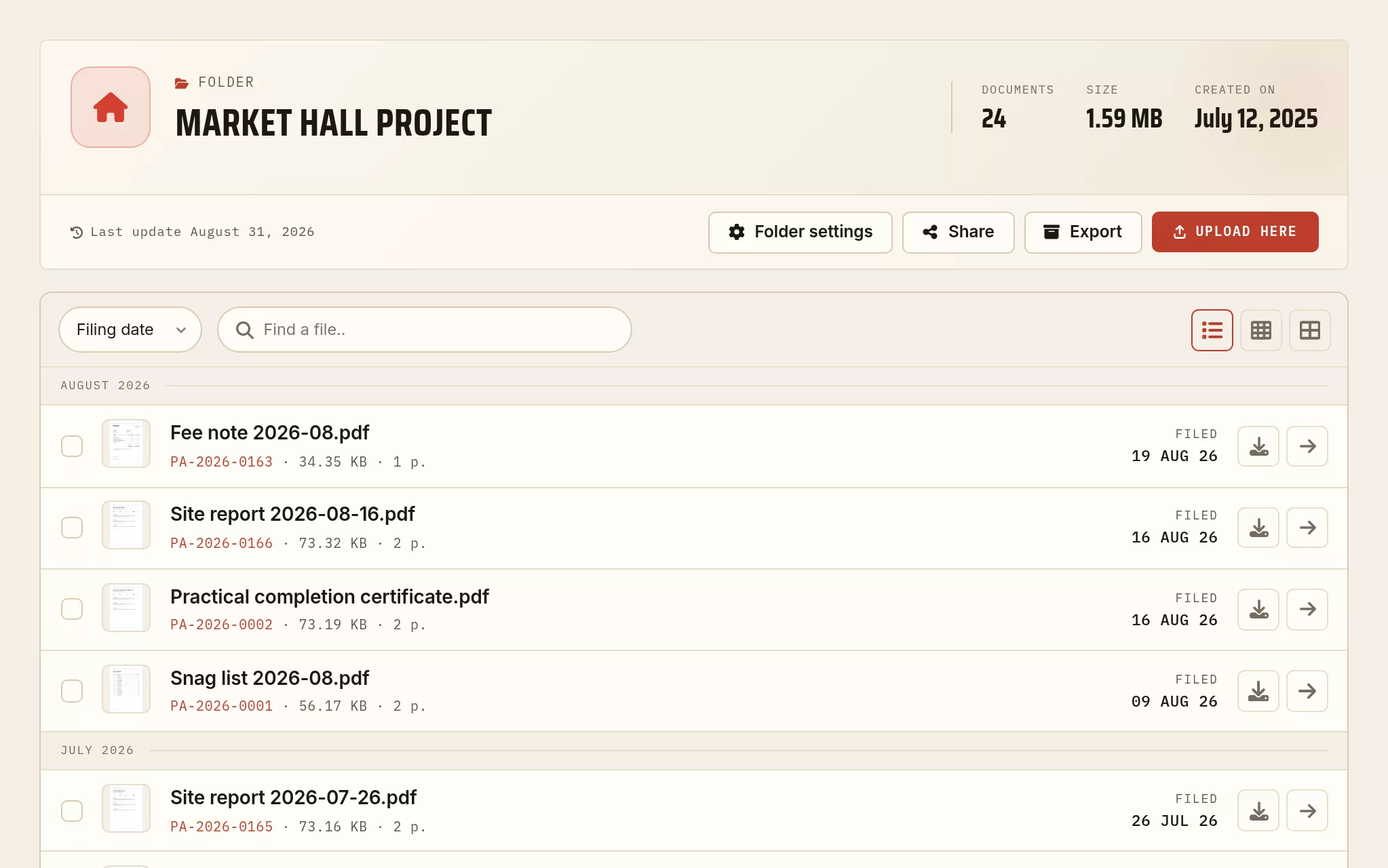
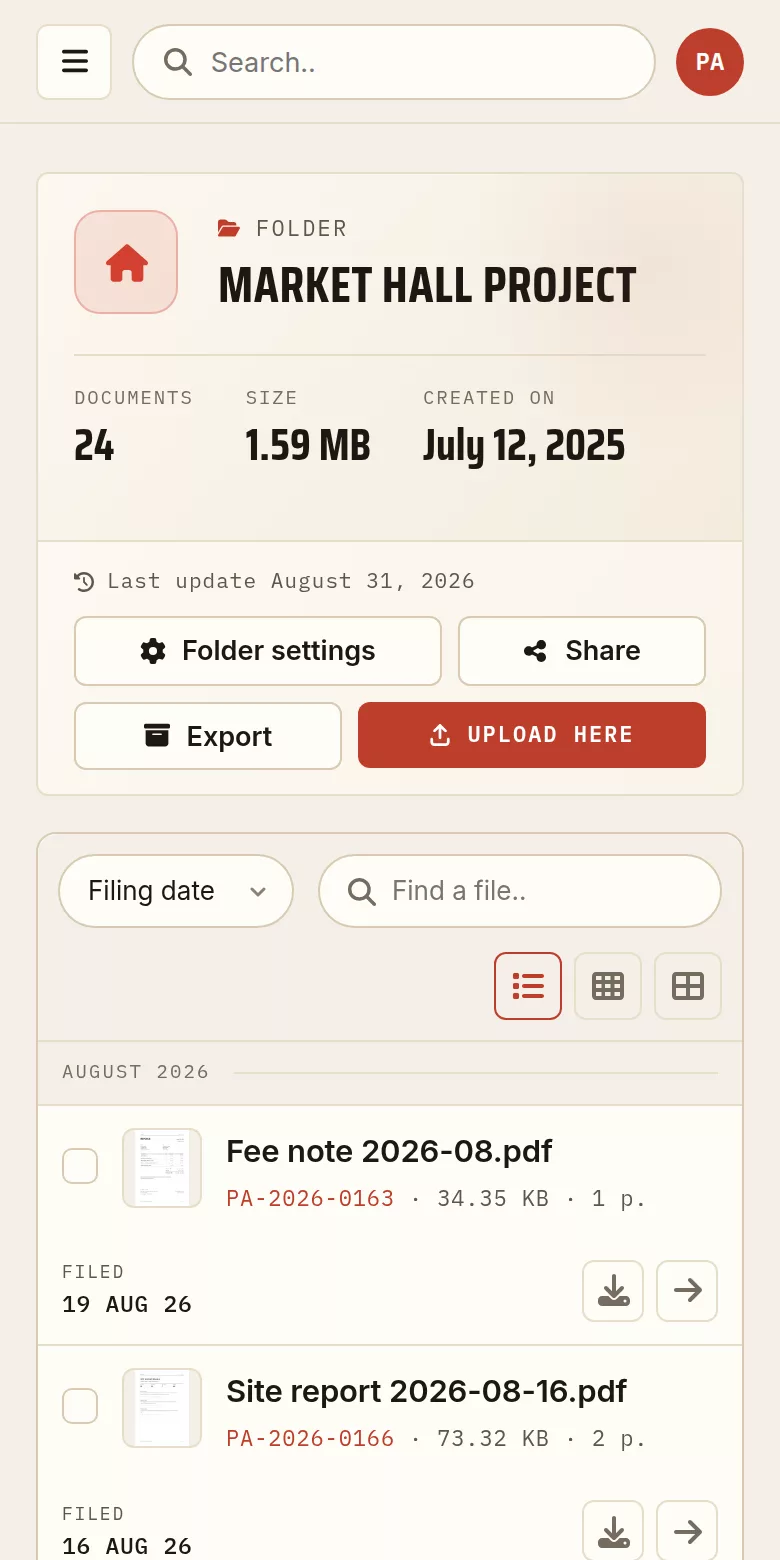
A folder from the demonstration archive, captured exactly as it stands in the account area. The documents are made up for the example; the screen is the real one.
The archive becomes the deliverable
The project in order
Sketch, design stages, planning permission, tendering, site reports: every stage at its date, in a single folder.
The file that gets handed over
At completion, the record file is already assembled. You pass it on through a link, or you export the whole archive.
Documents from the trades
Engineers and contractors upload drawings, notes and certificates through a single link, without holding an account.
Readable in ten years
A project reopens long after completion. The documents stay in place, with their upload date, for as long as you keep them.
Readable on site
Last week’s site report can be read from the site itself, on a phone, without pulling down a whole folder.
Hosted in France
Servers in France, GDPR compliant: your clients’ documents do not leave the EU.
The file builds up over two years, and is asked for in a day
“The certificate is in an email somewhere.”
The documents from the trades arrive by email, as attachments, over eighteen months. With a drop link they arrive in the project folder instead.
“The record drawings have to be handed over.”
At completion, people rebuild in a hurry what should have piled up by itself. Here the file is already there, complete, in the order of the stages.
“The 2019 project has come back.”
A defect appears years later. The file reopens in the same place, with the upload date of every document.
One link, for as long as the building stands
The record drawings outlive the project, and the people who will need them are not the people you are talking to today. A permanent public link hands the set over without an attachment and without an expiry.
No expiry
On a Pro account a public link carries no time limit. It still opens years after the site has been handed over.
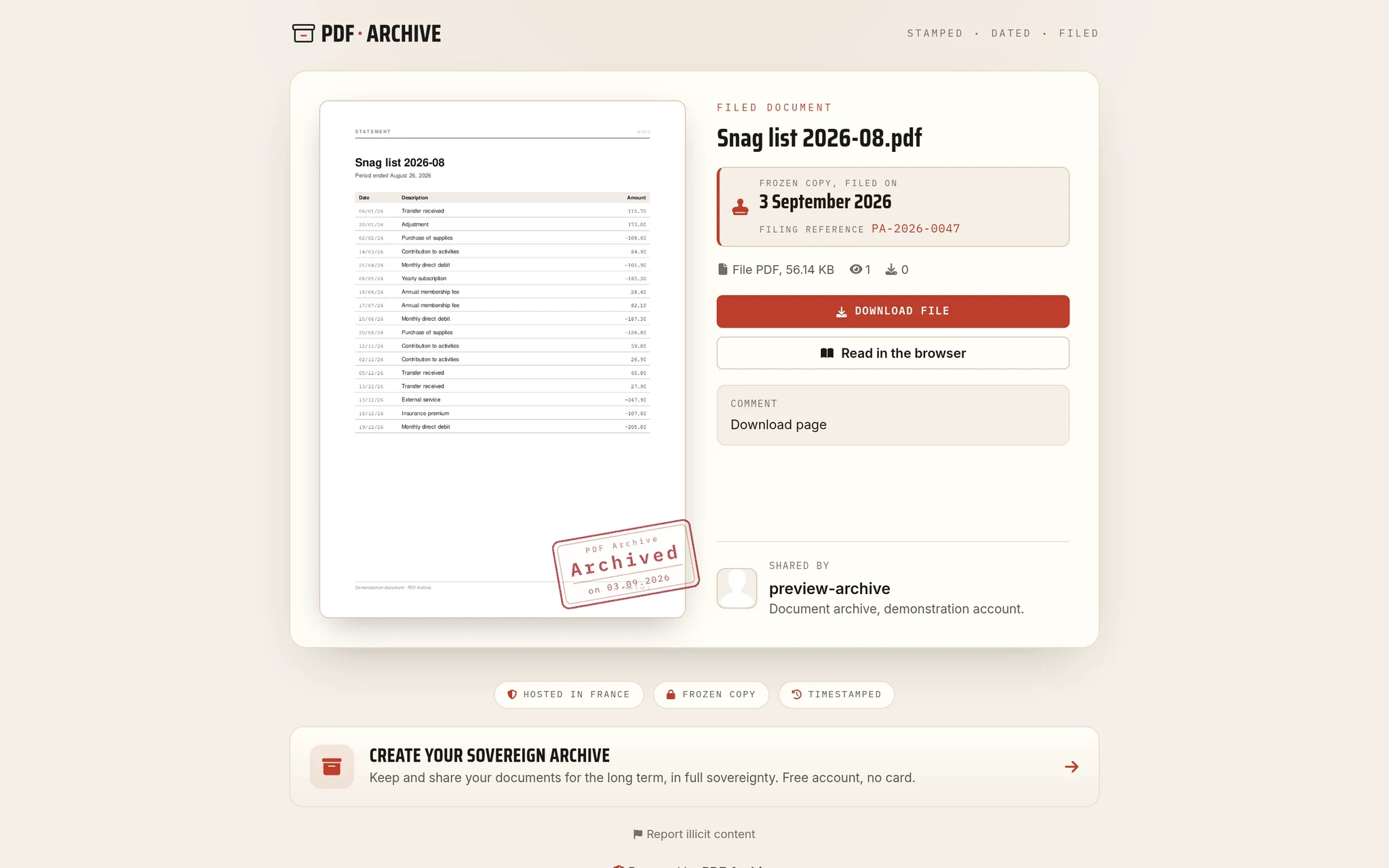
A frozen, dated copy
What you publish is the state of the document on that day. What you file afterwards does not change it.
Permanent is not irreversible
The link can still be closed, the day the building changes hands or the file stops being yours to share.
Three steps
One folder per project
Every stage inside it, from the brief to the closing of the snag list.
Open a drop page to the trades
A drop link, and documents arrive filed instead of clogging up a mailbox.
Hand the file over
A link for the client, or a full archive to download. The file itself stays with you.
Getting a document ready before uploading it
These three serve almost every stage: bringing the parts of a file together, bringing a drawing down to a size a client mailbox will take, marking a document that leaves the practice.